"Try Again Later": How to Fix an Instagram Action Block in 2026
Want to see who isn't following you back right now?
Use our safe Instagram unfollower checker — no login needed. Upload your official Instagram data export and get instant results.
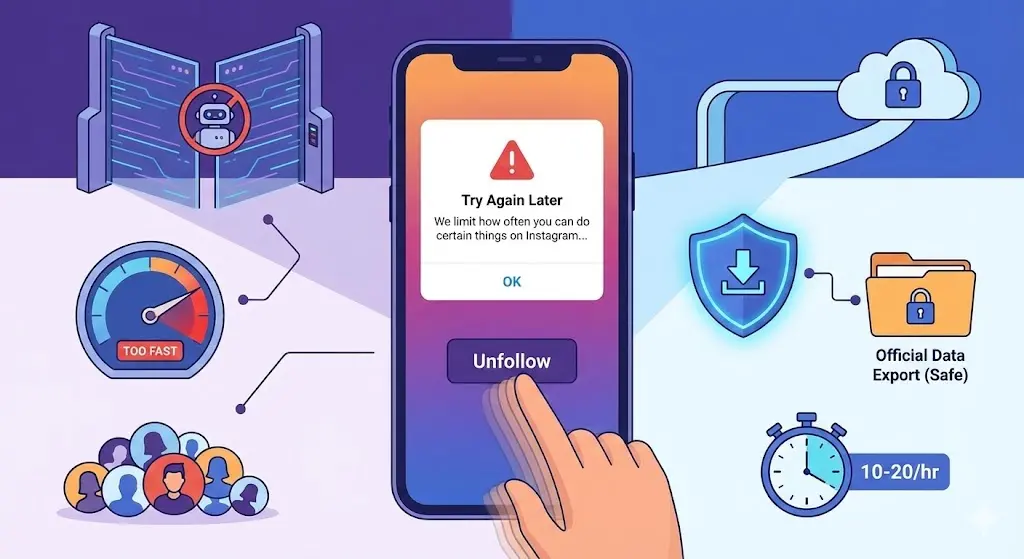
You sit down to finally clean up your Instagram account, manually unfollowing dozens of ghost accounts and ex-coworkers. Suddenly, a pop-up appears: "Try Again Later. We limit how often you can do certain things on Instagram..." Your heart drops. Are you banned? Did you lose your account?
The short answer: you are temporarily restricted, but your account is safe.
Why Instagram Blocks Your Actions
Instagram's 2026 algorithm is highly sensitive to spam and bot-like behavior. When you perform too many actions—like following, unfollowing, liking, or commenting—too quickly, the system's anti-spam AI flags your account.
This happens because Instagram wants to stop:
- Automated bots and scraping tools
- Third-party apps misusing their API
- Users trying to artificially manipulate the algorithm
The 2026 Limits You Need to Know
To avoid the dreaded "Try Again Later" message, you need to understand the platform's speed limits. While the absolute maximum lifetime follow cap is 7,500, the daily and hourly limits are what trigger action blocks.
- Hourly Limits: You should pace your actions at around 10 to 20 follows or unfollows per hour.
- Daily Limits: Most users are limited to about 150 to 200 follow/unfollow actions per day.
- New Accounts: If your account is less than a month old, your limits are much stricter, capping at around 50 to 100 actions per day.
Pushing past these numbers tells the system you are acting like a machine, not a human.
How to Fix the Block
If you are currently staring at the action block error, here is how to recover:
- Take a Break: Stop liking, commenting, and unfollowing completely for 24 to 72 hours to let your account "cool down".
- Log Out and Reinstall: Deleting the app clears corrupted cache data that might be stuck in a loop.
- Switch Networks: Sometimes the block is tied to your IP address. Switching from Wi-Fi to mobile data can bypass a localized block.
- Disconnect Third-Party Apps: Remove any unauthorized follower or unfollower apps linked to your account immediately.
The Safe Alternative
When people hit an action block while cleaning their follower list, they often get desperate and download automated third-party unfollower apps. These apps are dangerous, require your password, and will trigger even longer, sometimes permanent, account bans.
The only 100% safe method to check your unfollowers without triggering an API action block is using Instagram's official data export. This is exactly what ByeBud uses.
Why This Method Is Safe
- You never share your password with anyone
- Data is processed locally in your browser
- No bots or scrapers touch your account
- Instagram can't ban you for using their own export feature (it is 100% compliant with Instagram's Terms of Service)
- It delivers instant results without sending automated API requests
- Your data never leaves your device
What About Finding Unfollowers Manually?
Manually checking your follower list means you have to click, scroll, and cross-reference hundreds of names. Not only is this exhausting, but all that rapid tapping is exactly what triggers the "Try Again Later" action block in the first place. ByeBud takes your official data export and does the comparison instantly off-platform, keeping your account completely safe. Just remember to request a new data export from Instagram for each analysis to ensure accuracy.
Conclusion
In 2026, the safest approach to cleaning up your Instagram is pacing yourself. Avoid apps that automate actions or ask for your password, respect the hourly limits, and use Instagram's official data export with tools like ByeBud to safely identify who to remove.
Want to see who isn't following you back right now?
Use our safe Instagram unfollower checker — no login needed. Upload your official Instagram data export and get instant results.
Related articles
- Auditing Nonprofit Instagram Accounts: Beyond Vanity Follower CountsFor charities and community organisations, social media success is measured in real-world action, not follower tallies. Here is how to run an effective, privacy-first audit.
- What Happens When an Instagram Follower Deactivates or Deletes Their AccountWhen a follower disappears, they may not have unfollowed you. Discover how Instagram handles deactivated and deleted accounts, from missing DMs to cached counters.
- How to Remove Third-Party Apps Connected to Your InstagramA complete, step-by-step cleanup guide on how to audit, revoke, and remove third-party apps connected to your Instagram account on mobile and desktop.
- What Happens to Instagram Reach in the First 14 Days After a Follower PurgeDoes removing followers affect reach immediately? Here is a breakdown of what happens to your Instagram impressions, engagement percentages, and algorithmic distribution during the first 14 days after an audience clean-up.
- Why Your Instagram Export Count Is Missing Deactivated AccountsWhen your official Instagram export lists fewer followers than the number displayed on your profile, deactivated accounts and pending requests are usually responsible. Here is how Meta treats dormant records in data downloads.