The "Try Again Later" Trap: Why Instagram is Locking You Out of Your Own Account
Want to see who isn't following you back right now?
Use our safe Instagram unfollower checker — no login needed. Upload your official Instagram data export and get instant results.
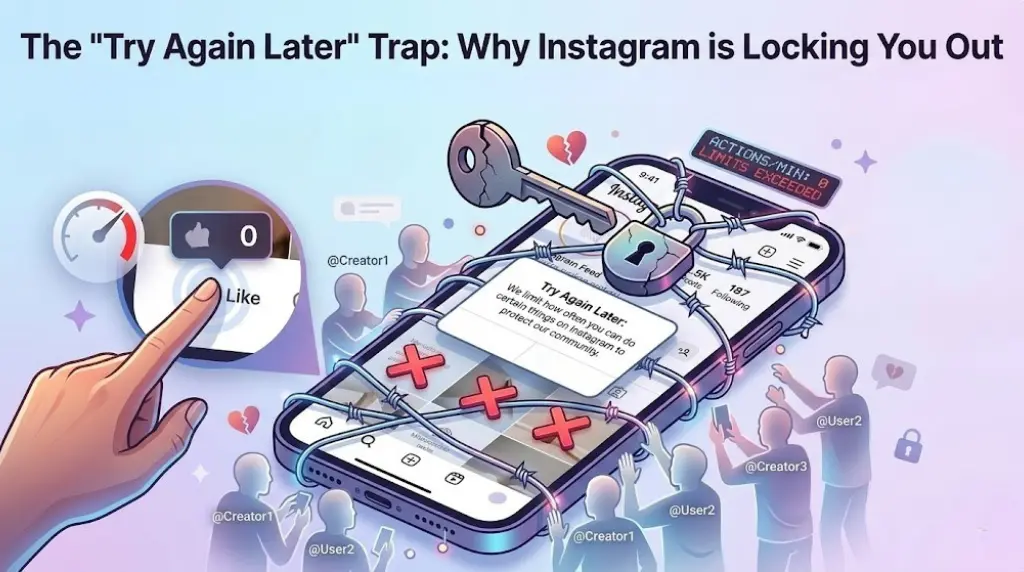
You are replying to a few comments, liking some posts from your community, and engaging like a model platform citizen. Then, out of nowhere, a pop-up flashes across your screen: "Try Again Later. We limit how often you can do certain things on Instagram to protect our community."
Just like that, you’re locked out of liking, commenting, or following. You haven't used any sketchy bots or bought fake followers. You’re just a human trying to use a social network.
So why did the algorithm just mistake you for a spam bot?
Inside the Mind of the Anti-Spam AI
Instagram’s defense system relies on an incredibly aggressive automated gatekeeper. The system doesn't review your account context or read your intentions; it simply tracks velocity and volume.
When you get hit with an "Action Block," it’s usually because you triggered one of three algorithmic tripwires:
-
The Velocity Trigger: Speed-liking posts down your feed or dropping generic comments too quickly looks identical to automated bot behavior. If your actions per minute cross a certain threshold, the system flags it as non-human activity.
-
The Hard Limit Overstep: The platform enforces strict structural ceilings. Attempting to add more than 30 hashtags to a single post, or over-tagging accounts in a comment thread, trips an automatic digital wire.
-
The Blacklisted Vocabulary: Using specific phrases or flagged keywords—even completely innocently—can cause AI filters to instantly restrict your engagement capabilities to prevent potential harassment or scam waves.
How to Escape the Algorithmic Penalty Box
If you've been hit with a restriction, trying to force your way through it will only extend your sentence. Instead, use this quick protocol to reset your digital footprint:
-
Go Cold Turkey: The moment you see an action block, stop trying to engage. Every failed attempt to like or comment resets the block's countdown timer. Give the account a full 24 to 48 hours of complete rest.
-
Switch Your Network (IP) Route: Often, Instagram blocks the specific IP address you are using rather than just your account. Toggle off your Wi-Fi and switch to cellular data (or vice versa) to see if a fresh IP clears the restriction.
-
Sever Third-Party Ties: Go into your security settings and audit connected apps. Any old analytics tools, unfollow-trackers, or auto-posting software can trigger background requests that Instagram views as malicious behavior.
-
Log Out and Clear the Slate: Log completely out of your account, delete the Instagram app, clear your phone's cache, and reinstall it. This forces a clean handshake with Meta’s live servers upon your next login.
The 2026 Golden Rule: The algorithm no longer rewards raw speed; it rewards genuine, spaced-out connection. Slow down your engagement, space out your comments, and act like a thoughtful human rather than a hyperactive scroller to stay on the platform's good side.
Want to see who isn't following you back right now?
Use our safe Instagram unfollower checker — no login needed. Upload your official Instagram data export and get instant results.
Related articles
- Auditing Nonprofit Instagram Accounts: Beyond Vanity Follower CountsFor charities and community organisations, social media success is measured in real-world action, not follower tallies. Here is how to run an effective, privacy-first audit.
- What Happens When an Instagram Follower Deactivates or Deletes Their AccountWhen a follower disappears, they may not have unfollowed you. Discover how Instagram handles deactivated and deleted accounts, from missing DMs to cached counters.
- How to Remove Third-Party Apps Connected to Your InstagramA complete, step-by-step cleanup guide on how to audit, revoke, and remove third-party apps connected to your Instagram account on mobile and desktop.
- What Happens to Instagram Reach in the First 14 Days After a Follower PurgeDoes removing followers affect reach immediately? Here is a breakdown of what happens to your Instagram impressions, engagement percentages, and algorithmic distribution during the first 14 days after an audience clean-up.
- Why Your Instagram Export Count Is Missing Deactivated AccountsWhen your official Instagram export lists fewer followers than the number displayed on your profile, deactivated accounts and pending requests are usually responsible. Here is how Meta treats dormant records in data downloads.