The "Legacy Cookie" Crisis: Why Your Device History Is Sabotaging Your New Account
Want to see who isn't following you back right now?
Use our safe Instagram unfollower checker — no login needed. Upload your official Instagram data export and get instant results.
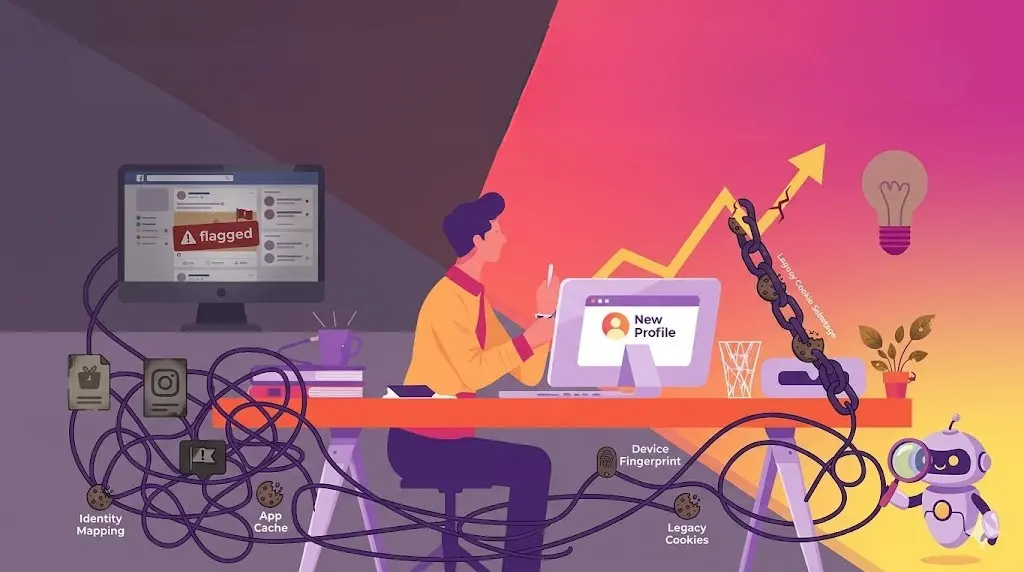
You decided to burn it all down. After months of "reach recession" and fighting a stagnant algorithm, you deleted the old profile and started fresh. You have a new handle, a new aesthetic, and a new strategy.
But three posts in, the numbers are exactly the same. Zero Explore reach. Zero non-follower impressions.
In 2026, many creators are finding that their "fresh start" isn't actually fresh. They are victims of the Legacy Cookie Crisis. Because of Meta’s advanced Identity Mapping, your new account isn't born with a clean slate—it’s born in the shadows of your old one.
Why Meta’s “Identity Mapping” Matters in 2026
Instagram no longer views accounts as isolated islands. The algorithm uses a sophisticated web of signals to link profiles to a single human entity. If your previous account was flagged for "low-quality behavior," bot-driven engagement, or repetitive community guideline violations, that reputation is baked into your hardware.
Common links that trigger Identity Mapping:
-
Device Fingerprinting: Your phone’s unique ID is logged. Meta knows which accounts have been logged in on that specific hardware.
-
IP Reputation: If you are posting from a home Wi-Fi that has hosted "flagged" accounts, the new profile is immediately treated with suspicion.
-
Browser/App Cache: Residual data from your old account stays on your phone, linking your new session to your old digital baggage.
The "Hardware Reset": 3 Pillars of a True Fresh Start
If you want to break the link between your failed past and your new future, you need to perform a digital sanitization before your first post.
-
- The Deep Cache Purge
Deleting and reinstalling the app isn't enough in 2026. You must go into your phone settings and manually clear the app's local storage and cache. This removes the "Legacy Cookies" that tell Meta's AI that the same person is simply wearing a new mask.
-
- IP Rotation and "Air-Gapping"
Meta tracks the "health" of your network. If your reach was flatlining on your home Wi-Fi, starting a new account on that same signal is an instant red flag.
Pro-Tip: Use a different network (like mobile data or a secure, fresh Wi-Fi connection) for your first week of posting. This provides the "Air-Gap" needed to establish a new, independent reputation for the account.
-
- The 48-Hour "Cold Start" Rule
The biggest mistake creators make is creating an account and immediately uploading their best content. This "burst" behavior looks like a bot.
2026 Rule: Create the account, set up the bio, and then do nothing for 48 hours. Let the account age on the device. This "cooling period" proves to the AI that you are a patient human user, not an automated script.
ByeBud Tip: Auditing Your "Digital Baggage"
Before you delete an old account to start a new one, you need to know why it failed. Was it a shadowban, or just a bad follower-to-engagement ratio?
Analyze the Fallout: Use ByeBud to audit the data export of your old account.
-
Identify if you had a "Ghost Follower" density above 30%.
-
If the data shows your old account was mostly "bots and zombies," you can rest easy knowing the problem was the audience, not necessarily your device.
-
However, if your data looks "clean" but reach was still zero, you are likely dealing with a hardware-level flag, and the Hardware Reset is mandatory.
Step-by-Step: How to Launch a "Clean" Account in 2026
-
Offboard the Old: Log out of all accounts on your device.
-
Clear Local Data: Go to Settings > Apps > Instagram > Clear Data & Cache.
-
Rotate Your Signal: Switch from Wi-Fi to 5G/Mobile Data.
-
Create & Wait: Build the new profile but do not post. Wait 48 hours.
-
Initial Engagement: During the wait, spend 10 minutes a day interacting with high-authority accounts in your niche as a "Lurker."
-
The First Post: Upload your first piece of content. Ensure it contains no "legacy" hashtags you used on your old, failing account.
Conclusion
Starting over on Instagram in 2026 is a game of digital forensics. You are now fighting Meta’s memory. By clearing your hardware footprint and using a zero-knowledge tool like ByeBud to understand your data history, you can ensure your new account is truly born in the light.
Stop letting your past sabotage your future. Clean your device, audit your data, and claim the reach you actually deserve.
Want to see who isn't following you back right now?
Use our safe Instagram unfollower checker — no login needed. Upload your official Instagram data export and get instant results.
Related articles
- Auditing Nonprofit Instagram Accounts: Beyond Vanity Follower CountsFor charities and community organisations, social media success is measured in real-world action, not follower tallies. Here is how to run an effective, privacy-first audit.
- What Happens When an Instagram Follower Deactivates or Deletes Their AccountWhen a follower disappears, they may not have unfollowed you. Discover how Instagram handles deactivated and deleted accounts, from missing DMs to cached counters.
- How to Remove Third-Party Apps Connected to Your InstagramA complete, step-by-step cleanup guide on how to audit, revoke, and remove third-party apps connected to your Instagram account on mobile and desktop.
- What Happens to Instagram Reach in the First 14 Days After a Follower PurgeDoes removing followers affect reach immediately? Here is a breakdown of what happens to your Instagram impressions, engagement percentages, and algorithmic distribution during the first 14 days after an audience clean-up.
- Why Your Instagram Export Count Is Missing Deactivated AccountsWhen your official Instagram export lists fewer followers than the number displayed on your profile, deactivated accounts and pending requests are usually responsible. Here is how Meta treats dormant records in data downloads.