The Alt-Text Secret: Using Hidden Metadata to Double Your Explore Page Reach
Want to see who isn't following you back right now?
Use our safe Instagram unfollower checker — no login needed. Upload your official Instagram data export and get instant results.
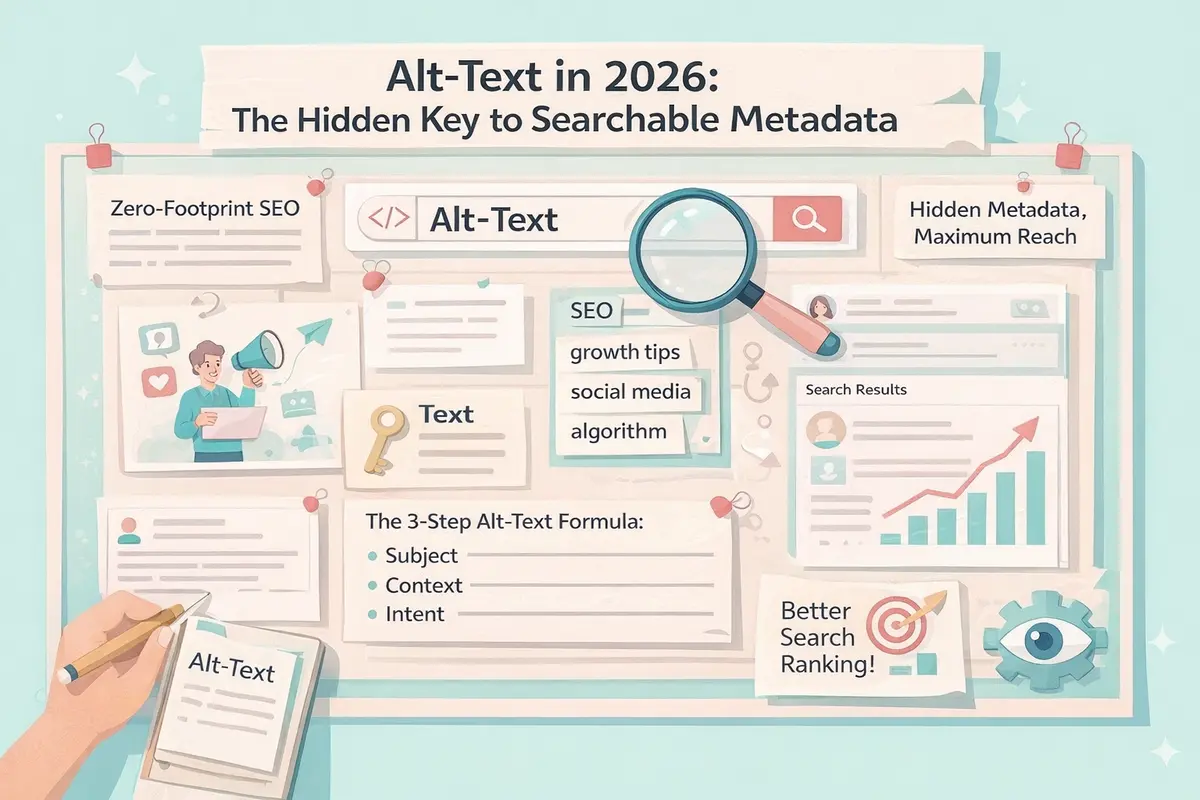
Most creators ignore Alt-Text. They see it as a minor accessibility feature or something the app handles automatically. But in 2026, Alt-Text is the "hidden" key to Searchable Metadata. If you want to double your Explore Page reach without cluttering your captions, it’s time to master the secret language of the algorithm.
What is Alt-Text (And Why Is the 2026 Algorithm Obsessed With It)?
Originally designed for visually impaired users, Alt-Text (Alternative Text) provides a text-based description of an image. However, Instagram’s advanced AI now uses this "hidden" metadata to categorize your content with surgical precision.
By manually writing your Alt-Text, you are directly telling the algorithm exactly what is in your photo, who should see it, and which search queries it should rank for. This is "Zero-Footprint SEO"—it boosts your discoverability without making your captions look like spam.
How to Write Alt-Text for Maximum Reach
The goal isn't just to describe the photo; it’s to use contextual keywords.
- The Old Way (Auto-Generated): "Image may contain: person, outdoors, sky." (Vague and provides zero SEO value).
- The 2026 Way: "Digital creator sharing Instagram growth tips and social media audit strategies for 2026 creators."
The 3-Step Alt-Text Formula:
- The Subject: Describe exactly what is in the frame.
- The Context: Add your primary niche keywords.
- The Intent: Mention the value or topic the post covers.
Where to Find the Alt-Text Settings
Don't let the algorithm guess what your post is about. Follow these steps to take control:
- Start a new post and get to the final share screen.
- Scroll to the bottom and tap Advanced Settings.
- Under the "Accessibility" section, tap Write Alt-Text.
- Enter your keyword-rich description for each photo in your carousel.
Pro-Tip: You can also go back to old posts, tap the three dots (menu), select "Edit," and tap "Edit Alt-Text" in the bottom right corner of the image to refresh your metadata for 2026 search trends.
Alt-Text vs. Hashtags: The Performance Gap
In 2026, the algorithm values "High-Signal Metadata." While hashtags are visible and can sometimes look desperate, Alt-Text works behind the scenes.
- Better Category Matching: Alt-Text helps the AI place you in the right "Interest Clusters" on the Explore page.
- Search Engine Indexing: Posts with custom Alt-Text are more likely to appear in external search engine results (like Google images).
- Cleaner Aesthetics: You can move your heavy SEO keywords into the Alt-Text, leaving your captions short, punchy, and human-focused.
Why a "Clean" Account Makes SEO More Effective
Hidden metadata only works if the algorithm knows who your primary audience is. If your account is cluttered with bot followers or people who followed you years ago for a different niche, the AI gets "Data Poisoning."
Before you start doubling down on Alt-Text SEO, ensure your account is healthy:
- Identify Mismatched Followers: Use ByeBud to find who isn't following you back and identify ghost accounts that are confusing your data.
- Regular Audits: Perform a safe, manual cleanup to ensure your engagement signals are coming from real, interested humans.
- Privacy First: Use local-processing tools like ByeBud to audit your list without sharing your login credentials, keeping your SEO gains secure.
Conclusion
Alt-Text is the ultimate "low effort, high reward" strategy for 2026. By spending an extra 30 seconds on your metadata, you can bypass the hashtag noise and speak directly to the algorithm.
Stop letting your content get lost in the shuffle. Master your metadata, clean your community with ByeBud, and reclaim your spot on the Explore page.
Want to see who isn't following you back right now?
Use our safe Instagram unfollower checker — no login needed. Upload your official Instagram data export and get instant results.
Related articles
- Auditing Nonprofit Instagram Accounts: Beyond Vanity Follower CountsFor charities and community organisations, social media success is measured in real-world action, not follower tallies. Here is how to run an effective, privacy-first audit.
- What Happens When an Instagram Follower Deactivates or Deletes Their AccountWhen a follower disappears, they may not have unfollowed you. Discover how Instagram handles deactivated and deleted accounts, from missing DMs to cached counters.
- How to Remove Third-Party Apps Connected to Your InstagramA complete, step-by-step cleanup guide on how to audit, revoke, and remove third-party apps connected to your Instagram account on mobile and desktop.
- What Happens to Instagram Reach in the First 14 Days After a Follower PurgeDoes removing followers affect reach immediately? Here is a breakdown of what happens to your Instagram impressions, engagement percentages, and algorithmic distribution during the first 14 days after an audience clean-up.
- Why Your Instagram Export Count Is Missing Deactivated AccountsWhen your official Instagram export lists fewer followers than the number displayed on your profile, deactivated accounts and pending requests are usually responsible. Here is how Meta treats dormant records in data downloads.