The 60-Second Privacy “Kill Switch”: 3 Buried Settings to Flip in 2026
Want to see who isn't following you back right now?
Use our safe Instagram unfollower checker — no login needed. Upload your official Instagram data export and get instant results.
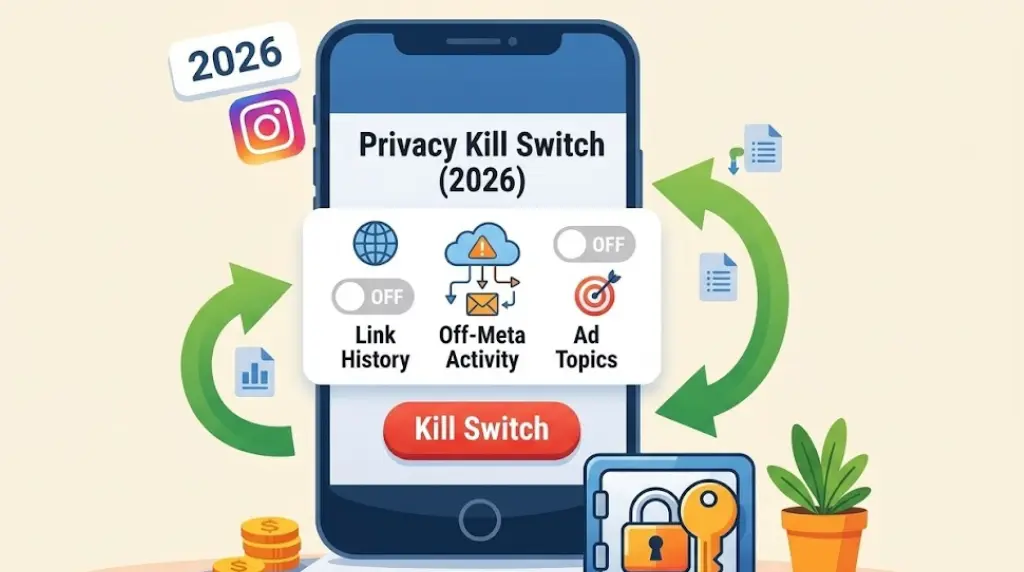
If you haven’t touched your Instagram settings since the 2026 update, your account is currently on "Auto-Pilot" data collection.
While the Digital Markets Act (DMA) gave you the right to own your data, Meta didn't make it the default. By default, Instagram is still configured to act as a digital vacuum, sucking up your browsing history and off-platform behavior to feed its ad-targeting engine.
You don't need a degree in cybersecurity to stop it. You just need 60 seconds and the "Kill Switch" checklist.
The "Default" Deception: Why Meta Wants You Passive
Meta’s business model relies on you being a "leaky" user. The more information you leak through your daily habits, the more valuable your profile becomes to advertisers. They bury these settings deep within the Accounts Center, hoping the friction of finding them will keep you from turning them off.
In 2026, privacy isn't a passive state; it’s an active choice. If you don't flip the switch, you are essentially leaving your front door wide open while you sleep.
The 3-Step Privacy Kill Switch
Follow this path: Settings -> Accounts Center -> Your Information and Permissions.
1. The "Link History" Trap
Status: Turn it OFF.
When you click a link in a DM or a bio, Instagram opens its internal browser. By default, "Link History" is on, meaning Meta keeps a permanent, timestamped record of every website you visit. They use this to build a "shadow profile" of your interests outside of the app.
- The Fix: Inside Your Information and Permissions, tap Link History and hit Allow Link History: Off. This wipes your recent history and stops the tracking of your external web traffic.
2. The "Off-Meta Activity" Cord-Cutter
Status: Disconnect and Clear.
This is perhaps the most invasive setting. "Off-Meta Activity" is a stream of data sent to Instagram from other apps and websites you use—everything from your banking app to your fitness tracker.
- The Fix: Select Off-Meta Activity. Choose Disconnect Specific Activity or, better yet, Clear Previous Activity and then Manage Future Activity to turn it off entirely. You are effectively cutting the invisible cord between your private apps and your social profile.
3. The "Ad Topics" Limitation
Status: Limit All.
Instagram’s AI categorizes you into "Ad Topics" based on your dwell time and interactions. If you linger on a photo of a watch for 3 seconds, you are tagged with the "Luxury Goods" topic.
- The Fix: Go to Ad Preferences -> Ad Topics. You will see a list of things Instagram thinks you like. Manually select "Limit" on every category. This doesn't stop ads, but it stops the algorithm from profiting off your specific behavioral data.
Why the "Quick Fix" Matters in 2026
The reason these three settings are so critical is that they represent Data in Motion. While a data export tells you what they already have, flipping these switches stops what they are currently taking.
- Zero-Knowledge Living: By turning these off, you move closer to a "Zero-Knowledge" presence where your activity is processed locally on your device rather than being sold in real-time to the highest bidder.
- Algorithmic Reset: Many users report that their "Explore" page becomes more organic and less "salesy" after performing this 60-second audit.
Take Back the Remote
In the past, we were told that this level of tracking was the "price" of a free app. In 2026, that lie has been debunked. Privacy is a right, not a premium feature.
Don't let your data be "rented" out by default. Use the tools the DMA has forced Meta to provide. Flip the switches, clear your history, and start treating your digital identity with the respect it deserves.
Want to see who isn't following you back right now?
Use our safe Instagram unfollower checker — no login needed. Upload your official Instagram data export and get instant results.
Related articles
- Auditing Nonprofit Instagram Accounts: Beyond Vanity Follower CountsFor charities and community organisations, social media success is measured in real-world action, not follower tallies. Here is how to run an effective, privacy-first audit.
- What Happens When an Instagram Follower Deactivates or Deletes Their AccountWhen a follower disappears, they may not have unfollowed you. Discover how Instagram handles deactivated and deleted accounts, from missing DMs to cached counters.
- How to Remove Third-Party Apps Connected to Your InstagramA complete, step-by-step cleanup guide on how to audit, revoke, and remove third-party apps connected to your Instagram account on mobile and desktop.
- What Happens to Instagram Reach in the First 14 Days After a Follower PurgeDoes removing followers affect reach immediately? Here is a breakdown of what happens to your Instagram impressions, engagement percentages, and algorithmic distribution during the first 14 days after an audience clean-up.
- Why Your Instagram Export Count Is Missing Deactivated AccountsWhen your official Instagram export lists fewer followers than the number displayed on your profile, deactivated accounts and pending requests are usually responsible. Here is how Meta treats dormant records in data downloads.