The 2026 Instagram Shadowban Test: Is Your Account Hidden?
Want to see who isn't following you back right now?
Use our safe Instagram unfollower checker — no login needed. Upload your official Instagram data export and get instant results.
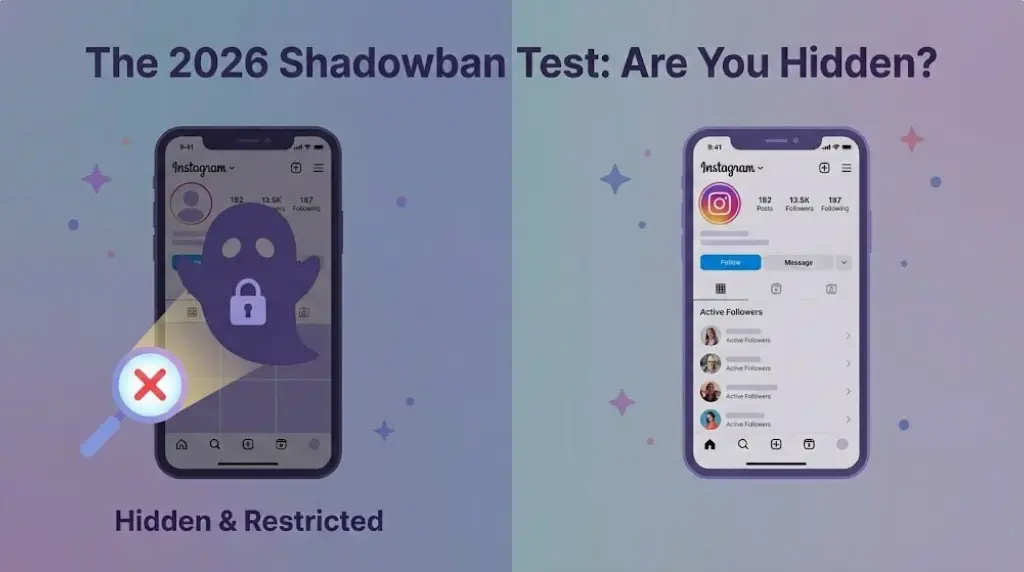
Has your Instagram reach suddenly dropped? One weak post is normal, but if several posts stop reaching non-followers, your account may have a recommendation problem, often called a “shadowban.”
Here is a simple three-step check.
What Does a Shadowban Look Like?
The main warning sign is a sharp decline in non-follower reach. Your posts may receive fewer views from Explore, Reels recommendations, hashtag searches, and suggested content.
However, low views do not always mean a restriction. Poor watch time, weak engagement, or repetitive content can also reduce reach.
Why Some Unfollower Apps Are Risky
Many unfollower apps ask for your Instagram username and password. They may repeatedly log into your account or use automated systems to collect follower data.
Instagram can interpret this activity as suspicious, which may lead to login warnings, temporary blocks, security checks, or reduced account visibility.
Step 1: Check Your Account Status
Open Instagram and go to:
Profile → Menu → Settings and activity → Account Status
Check whether Instagram says that your content or account is not eligible for recommendations. You may also see removed posts, restricted features, or guideline violations.
Step 2: Review Your Insights
Compare several recent posts with older posts that performed normally.
Look at:
- Non-follower reach
- Explore impressions
- Reel recommendations
- Watch time
- Shares and saves
If non-follower reach has disappeared across several posts, your account may be experiencing reduced visibility.
Step 3: Remove Suspicious Apps
Open your Instagram settings and review your connected apps and websites.
Remove any tool that:
- Asked for your Instagram password
- Performs automatic actions
- Promises followers or engagement
- Tracks your account through repeated logins
- Is unfamiliar or no longer used
After removing suspicious services, change your password and enable two-factor authentication.
Is the Hashtag Test Reliable?
You can post using a unique hashtag and search for it from another account. If the post does not appear, it may indicate limited visibility.
However, this test is not always accurate. Account Status and Instagram Insights provide stronger evidence.
A Safer Way to Check Unfollowers
ByeBud does not ask for your Instagram password or log into your account.
Instead, it works with your official Instagram data export. You upload the relevant follower information, and ByeBud compares your lists safely.
This avoids password sharing, automated logins, bots, and unnecessary account access.
Conclusion
A sudden drop in reach does not automatically mean you are shadowbanned.
Check your Account Status, compare your non-follower reach, and remove suspicious third-party apps. Most importantly, avoid unfollower tools that require your Instagram login details.
By using Instagram’s official data export with ByeBud, you can check your unfollowers without handing control of your account to an unknown app.
Want to see who isn't following you back right now?
Use our safe Instagram unfollower checker — no login needed. Upload your official Instagram data export and get instant results.
Related articles
- Auditing Nonprofit Instagram Accounts: Beyond Vanity Follower CountsFor charities and community organisations, social media success is measured in real-world action, not follower tallies. Here is how to run an effective, privacy-first audit.
- What Happens When an Instagram Follower Deactivates or Deletes Their AccountWhen a follower disappears, they may not have unfollowed you. Discover how Instagram handles deactivated and deleted accounts, from missing DMs to cached counters.
- How to Remove Third-Party Apps Connected to Your InstagramA complete, step-by-step cleanup guide on how to audit, revoke, and remove third-party apps connected to your Instagram account on mobile and desktop.
- What Happens to Instagram Reach in the First 14 Days After a Follower PurgeDoes removing followers affect reach immediately? Here is a breakdown of what happens to your Instagram impressions, engagement percentages, and algorithmic distribution during the first 14 days after an audience clean-up.
- Why Your Instagram Export Count Is Missing Deactivated AccountsWhen your official Instagram export lists fewer followers than the number displayed on your profile, deactivated accounts and pending requests are usually responsible. Here is how Meta treats dormant records in data downloads.