Remove Follower vs Block Instagram: Which Option Should You Choose?
Want to see who isn't following you back right now?
Use our safe Instagram unfollower checker — no login needed. Upload your official Instagram data export and get instant results.
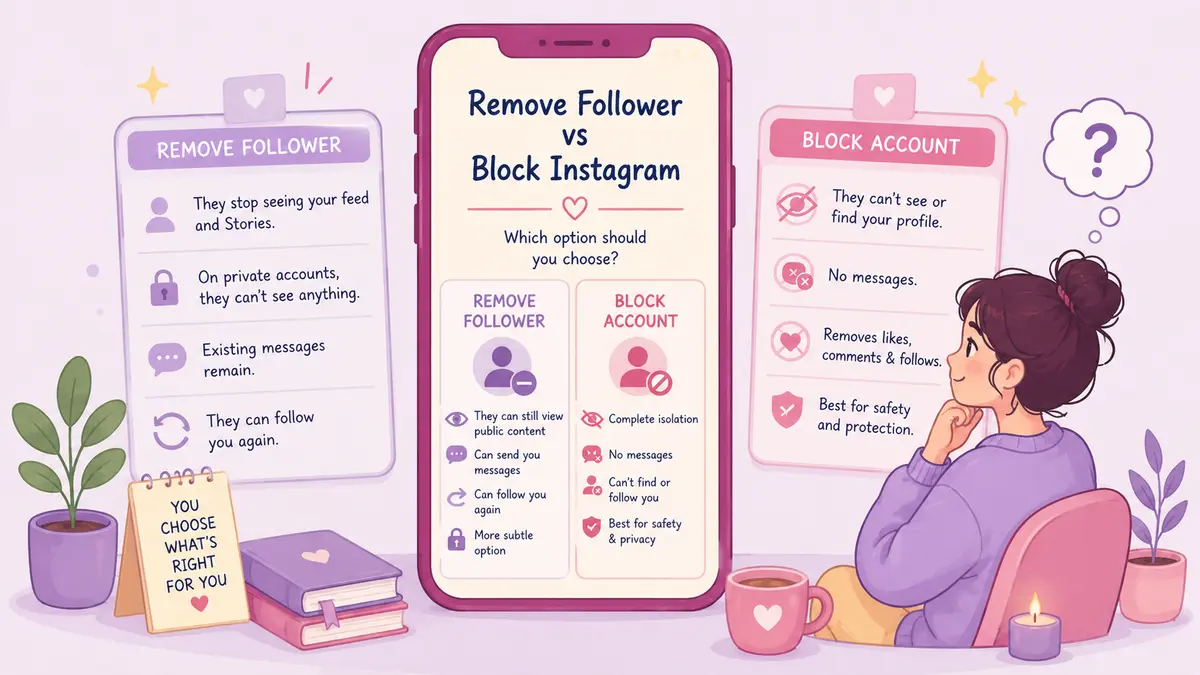
Both remove someone from seeing your content, but they work very differently under the hood — and picking the wrong one either causes unnecessary drama or leaves you less protected than you think.
What removing a follower actually does
Removing someone is quiet — no notification goes out, they just stop seeing your posts in their feed. But how final that is depends on your account type.
On a public account, it's mostly symbolic. They can still visit your profile, view your posts and public Stories, and follow you again with one tap.
On a private account, it's much more effective. They're fully cut off from your posts, Stories, and follower list — if they search your handle, all they get is your bio, photo, and a "Follow" button.
Either way, DMs aren't affected. Existing threads stay open, and they can still message you (it just lands in your requests tab if you don't follow them back).
What blocking actually does
Blocking is the real severance. The blocked person can't find your profile, view your posts, Stories, or Reels — public account or not. The follow relationship is removed in both directions automatically, and their past likes and comments on your content disappear from your view too.
Instagram also lets you block any other accounts that person has or creates later, which helps against someone dodging the block with a second account. In DMs, old messages stay visible but neither of you can send new ones. If you're in a group chat together, Instagram will ask whether you want to stay or leave.
Which one fits your situation
Remove when:
- You just want a quieter audience, no confrontation needed
- It's an old contact or acquaintance who doesn't need to see your updates anymore
- You're trimming inactive or non-reciprocal followers
- Your account is private, so removal already does most of the job
Block when:
- You're dealing with harassment, stalking, or unwanted contact
- Someone's scraping your content or monitoring you with bad intent
- A removed follower keeps re-following you
- You need certainty they can't see your profile or activity at all
If blocking feels like too much but ignoring isn't enough, Restrict is the middle ground — it hides their comments until you approve them and routes their DMs silently to your requests, with no notification or read receipts on their end.
One thing to know about public accounts
If you're public and want someone permanently out, removing alone usually isn't enough — they can just follow you again. Blocking, or switching to private, is the only way to make it stick.
Doing the audit safely
Whichever action you're deciding between, don't hand your login to any third-party app promising automated follower management — that's a fast way to get your account compromised or suspended. Pull your official Instagram data export instead, and let ByeBud process it locally in your browser to figure out who's worth removing or blocking. Then apply the actual action manually in the app, at a reasonable pace, to stay clear of rate limits.
Want to see who isn't following you back right now?
Use our safe Instagram unfollower checker — no login needed. Upload your official Instagram data export and get instant results.
Related articles
- Why Local Browser Processing Beats Any Privacy BadgeA privacy badge is only a legal promise, but local browser processing creates an unbreakable technical boundary. Here is why client-side execution matters.
- 5 Content Changes to Test After Your Instagram AuditA profile audit shows where you lose audience attention. Here is a five-step testing plan to refine hooks, carousels, and stories for better retention.
- The Math Behind Rising Engagement Rates as Followers DropLosing followers can actually improve your performance metrics. Here is the mathematical formula behind rising engagement rates and why a smaller audience often boosts distribution.
- What to Do If You Gave Your Password to an Instagram AppIf you gave your password to an unfollower tracker or third-party app, act fast. Here are the exact damage-control steps to secure your Instagram account right now.
- How to Calculate Real Instagram Engagement From Your Data ExportLearn how to calculate your real Instagram engagement rate directly from your raw data export files using a precise formula and weighted interaction metrics.