Navigating Instagram's Aggressive AI Spam Filters
Want to see who isn't following you back right now?
Use our safe Instagram unfollower checker — no login needed. Upload your official Instagram data export and get instant results.
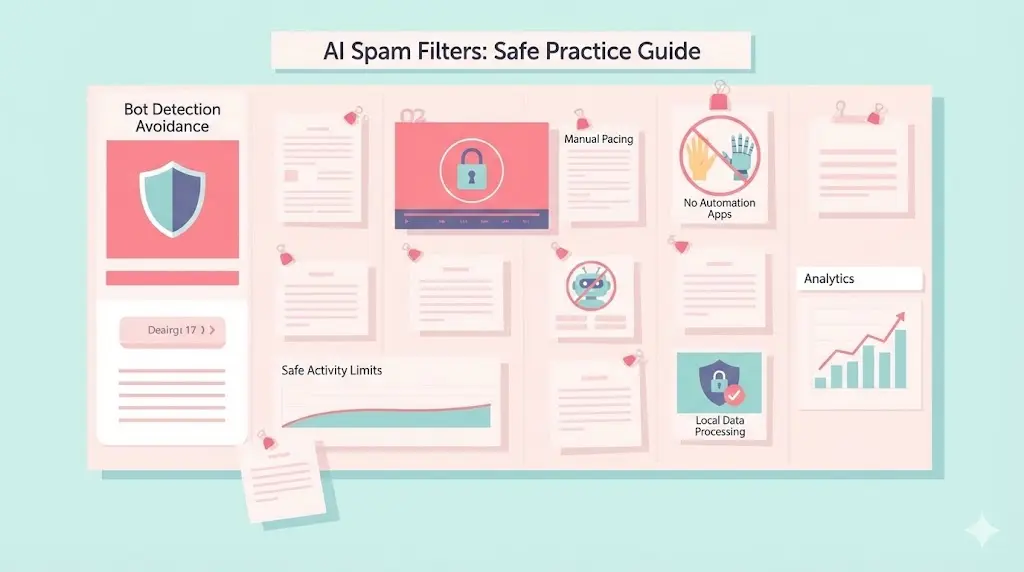
The Problem: Banned for Nothing?
Lately, Instagram users are reporting a surge in unjustified account suspensions and "shadowbans." The culprit? Strict new AI moderation designed to scrub the platform of spam.
In 2026, keyword detection and "brand-safety" rules are so sensitive they often limit a creator's reach before their content is even reviewed. If you've noticed your engagement dropping without any notification from Instagram, you might be caught in an algorithmic filter. This aggressive AI doesn't just look at what you post—it looks at how you behave.
The "Automation" Red Flag
The fastest way to trigger these new filters is by using third-party apps that log into your account to "automate" your growth or cleanup. Instagram’s AI is now hard-coded to detect the specific API calls these apps make. Even if an app claims to be safe, the moment you hand over your login credentials, your account is flagged for "suspicious activity."
Once flagged, your reach is throttled, or worse, your account is disabled "for nothing." To stay under the radar, you have to act like a human, not a bot.
How to Stay Off the AI’s Radar
To protect your account standing while still cleaning up your feed, you need a strategy that mimics natural, manual behavior.
Avoid the Login Trap
Never use an app that requires your Instagram username and password to "track" followers. These are magnets for AI-driven bans. Instead, use ByeBud. It processes your data locally in your browser using official Instagram data exports. Since there is no login required and no automated actions taken, the AI has nothing to detect.
Practice "Paced" Manual Unfollowing
Instagram's spam filters are triggered by high-frequency actions. Even if you are doing it manually, unfollowing 100 people in sixty seconds looks like a script is running.
- The Pro Tip: Use your ByeBud list to identify who isn't following you back, then head to the official Instagram app to unfollow them manually.
- The Rhythm: Unfollow 5–10 people, engage with a few Reels, and then wait. Spacing out these actions keeps your "account health" score high.
Bypass Keyword Triggers
The AI now scans captions and comments for "spammy" keywords or repetitive phrases. If you are trying to grow your reach, avoid using the same block of hashtags or "engagement bait" phrases that the AI currently associates with bot behavior.
Respect the "Warm-Up" Phase
If your account has been inactive or you haven't performed many "management" actions lately, don't suddenly start a mass cleanup. The AI flags sudden spikes in activity. Start slow—unfollow only a handful of accounts per day—and gradually increase your activity over a week.
Protect Your Reach
In an era of aggressive AI moderation, "slow and steady" is a survival strategy. By using local data processing to identify your targets and performing your cleanup manually, you bypass the triggers that lead to shadowbans and suspensions.
Keep your account safe, keep your data private, and keep your reach intact by staying off the AI's "automated" watchlist.
Want to see who isn't following you back right now?
Use our safe Instagram unfollower checker — no login needed. Upload your official Instagram data export and get instant results.
Related articles
- Auditing Nonprofit Instagram Accounts: Beyond Vanity Follower CountsFor charities and community organisations, social media success is measured in real-world action, not follower tallies. Here is how to run an effective, privacy-first audit.
- What Happens When an Instagram Follower Deactivates or Deletes Their AccountWhen a follower disappears, they may not have unfollowed you. Discover how Instagram handles deactivated and deleted accounts, from missing DMs to cached counters.
- How to Remove Third-Party Apps Connected to Your InstagramA complete, step-by-step cleanup guide on how to audit, revoke, and remove third-party apps connected to your Instagram account on mobile and desktop.
- What Happens to Instagram Reach in the First 14 Days After a Follower PurgeDoes removing followers affect reach immediately? Here is a breakdown of what happens to your Instagram impressions, engagement percentages, and algorithmic distribution during the first 14 days after an audience clean-up.
- Why Your Instagram Export Count Is Missing Deactivated AccountsWhen your official Instagram export lists fewer followers than the number displayed on your profile, deactivated accounts and pending requests are usually responsible. Here is how Meta treats dormant records in data downloads.