Does Instagram Notify Someone When You Unfollow Them?
Want to see who isn't following you back right now?
Use our safe Instagram unfollower checker — no login needed. Upload your official Instagram data export and get instant results.
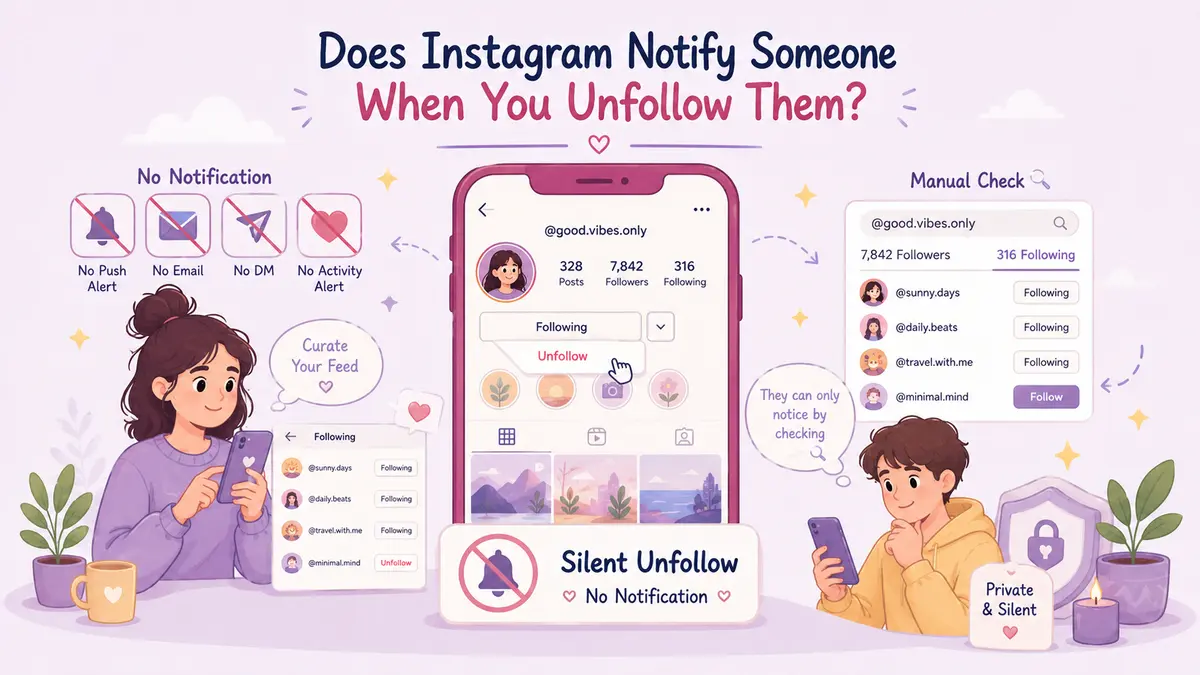
No, Instagram does not notify someone when you unfollow them. When you tap the unfollow button on an account, the platform quietly updates its database without triggering a push notification, an email, a direct message, or an entry in the target account's activity feed. From a technical and user-experience perspective, this silence is intentional. Instagram's notification architecture is engineered to encourage engagement, active communication, and platform retention. Alerting users every time someone leaves would generate unnecessary friction, negative sentiment, and social awkwardness.
How Instagram Handles Unfollowing Behind the Scenes
When you follow an account on Instagram, the platform creates an active database link between your user ID and the target account's user ID. This relationship directs their posts, stories, and reels into your main feed and includes your account in their follower count and public follower list.
When you choose to unfollow that account, Instagram executes a simple database update: it severs the follower relationship between the two IDs. At no stage does this database operation trigger an event in the notification service queue. The platform's activity feed—the section where you see alerts for likes, comments, mentions, and new followers—is strictly programmatic. Instagram intentionally omits unfollow events from this pipeline.
There is also a practical engineering reason for this design. Scalability requires platforms to minimise unnecessary event broadcasting. If every unfollow generated a push alert, high-volume creators who experience thousands of follower fluctuations daily would receive hundreds of redundant alerts an hour. For regular users, keeping the process silent prevents retaliatory unfollowing, harassment, and awkward interpersonal dynamics.
How People Actually Notice You Have Unfollowed Them
Even though the question does Instagram notify unfollow actions has a firm negative answer, people can still discover that you are no longer following them. They do not find out through an automatic alert; they find out through manual checks, behavioural clues, or third-party comparison tools.
Here are the most common ways people deduce that an unfollow has occurred:
-
Direct Profile Visits: If a user navigates directly to your profile, the dynamic follow button will reflect your status. If you previously followed them, the button showed "Following". Once you unfollow, that button changes to "Follow" or "Follow Back". Anyone checking your profile manually will see this immediately.
-
Searching Their Follower List: Instagram allows users to open their own follower list and search by username. If someone suspects you unfollowed them, they can simply type your handle into their follower search bar. If your name does not appear, they know you are no longer following them.
-
Story Viewers and Direct Messages: Active Instagram users often notice who views their stories. If you used to view their stories daily and suddenly disappear from the list, or if a direct message thread shows the prompt "Follow" next to your name at the top of the chat, your absence becomes conspicuous.
-
Low Follower Count Fluctuations: For personal accounts with a small, intimate audience (for example, fifty close friends), a single dropped follower changes the total count noticeably. If someone monitors their count closely, identifying the missing person takes only a minute of scrolling.
Third-Party Tracker Apps vs Official Data Exports
The curiosity around who unfollows whom has spawned thousands of third-party mobile apps promising real-time unfollower alerts. It is crucial to understand how these apps operate and why they represent a severe security risk.
Most mobile apps that claim to send instant unfollow notifications require you to enter your Instagram username and password. These apps use automated bots to log into your account, scrape your follower list at regular intervals, and compare the snapshots. This practice violates Instagram's Terms of Use. Handing over your login details exposes your personal messages, risks permanent account suspension, and often leads to compromised account credentials. Instagram's automated security systems actively detect and ban accounts linked to unauthorised API scrapers and automated session logins.
There is, however, a secure and platform-compliant way to check follower changes. Instagram provides an official data export tool within your account settings, allowing you to download a complete archive of your connections in JSON or HTML format. Tools like ByeBud allow you to inspect this official export data entirely offline within your browser, ensuring no passwords or account access are ever required or exposed. Comparing structural exports manually or via local browser tools lets you see relationship changes without compromising account security.
What Happens When You Remove a Follower Instead?
Another common management action is removing a follower from your own audience rather than unfollowing someone else. You might want to prune your audience for privacy reasons without blocking the individual outright.
Just like unfollowing, Instagram does not notify users when you remove them as a follower. When you go to your follower list and tap "Remove", the user is detached from your audience silently. Their follower count drops by one, and your private posts will no longer appear in their feed.
If your account is public, they can still view your profile and choose to follow you again later. If your account is private, they will only discover they were removed if they visit your profile and see the "Follow" button along with a locked account message. In both scenarios, no notification, email, or alert is delivered to their device.
Understanding Follower Privacy and Platform Etiquette
Social media etiquette often creates anxiety around managing your digital circle. Knowing that Instagram protects the privacy of your unfollow decisions allows you to curate your feed according to your own preferences.
The platform is built to give users control over the content they consume. Unfollowing accounts that no longer align with your interests, values, or mental wellbeing is a standard feature of modern social media usage. Because Instagram deliberately omits notification triggers for unfollows, you can adjust your connections without generating immediate notifications. As long as you avoid hazardous third-party apps that demand your credentials, managing your follower network remains private, safe, and entirely under your own control.
Want to see who isn't following you back right now?
Use our safe Instagram unfollower checker — no login needed. Upload your official Instagram data export and get instant results.
Related articles
- How to Handle a Large Instagram Data Export on Low-Memory DevicesIs your Instagram export file too large for an older computer or phone? Learn how to selectively download connection logs and extract JSON data without system crashes.
- What to Do With Your Instagram Unfollower List: An Action FrameworkDownloading your unfollower data is only the first step. Learn how to segment accounts, set retention rules, and safely pace manual removals without risking your account.
- Setting a Realistic Instagram Growth Goal Using Churn DataDiscover how to set a realistic Instagram growth goal using historical churn data. Learn the formula to balance follower attrition against gross acquisition.
- Remove Follower vs Block Instagram: Which Option Should You Choose?Should you remove a follower or block them entirely? Explore the technical differences, visibility rules, and social implications in this direct decision guide.
- How to Remove Instagram Followers in Bulk Using Native ToolsDiscover how to clean up your Instagram audience using native tools, built-in spam queues, and safe manual workflows without handing over your password.