Algorithmic Fatigue: 3 Signs Your Account Is Stuck in a 'Data Loop'
Want to see who isn't following you back right now?
Use our safe Instagram unfollower checker — no login needed. Upload your official Instagram data export and get instant results.
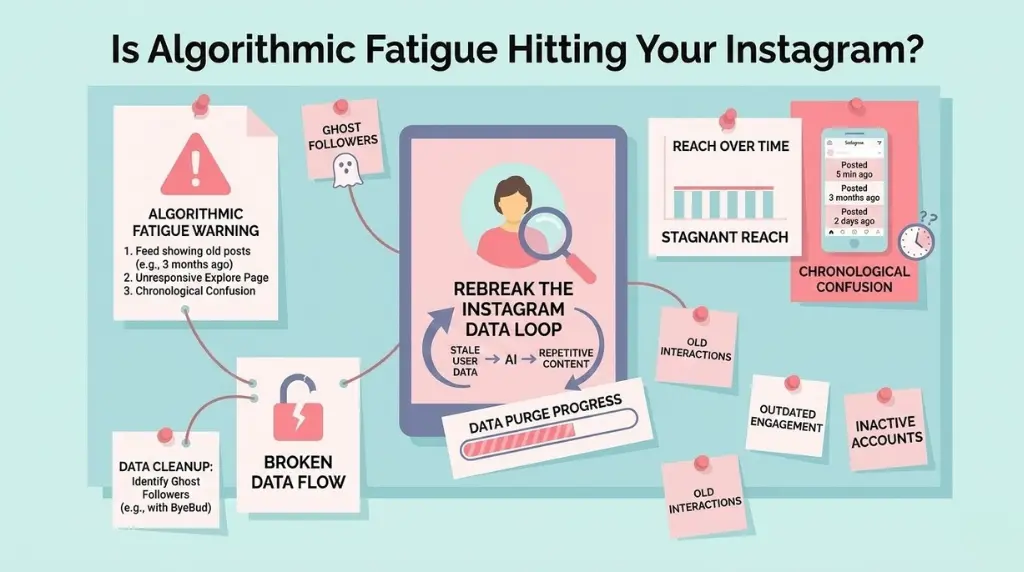
Is your Instagram feed showing you the same content from three months ago? Does it feel like your Explore page has stopped evolving? In 2026, many creators are hitting a wall known as Algorithmic Fatigue. This happens when the platform’s AI gets stuck in a "Data Loop," repeatedly serving you (and showing your content to) the same narrow cluster of users based on outdated interactions.
If you want to stay relevant, you need to know how to spot the loop and, more importantly, how to break it.
What is a 'Data Loop'?
The Instagram algorithm is designed to predict what you like based on your past behavior. However, if your following list is cluttered with inactive accounts or "ghost" followers from a niche you’ve moved away from, the AI continues to use that old data to build your content profile. You end up trapped in a cycle of stagnant reach and repetitive suggestions.
3 Warning Signs You're Stuck
1. The "Ghost" Explore Page
If your Explore page is filled with posts you would have liked in 2024 but find irrelevant now, the algorithm is relying on "stale data." It hasn't updated its understanding of your current interests because your active engagement signals are being drowned out by your historical ones.
2. Flatlined Reach on New Content
Are you posting high-quality Reels but only reaching the same small group of followers every time? This is a sign that the AI has put your account in a specific "interest bucket" and refuses to test your content with new audiences.
3. Chronological Confusion
If you are seeing posts in your main feed from several days or even weeks ago while missing fresh updates from people you actually care about, your account’s "relevancy score" has likely dropped due to an over-bloated following list.
How to Reset Your Algorithm and Refresh Your Feed
Breaking a data loop requires a "hard reset" of the signals you send to the AI. You have to prove to the algorithm that your account is active, modern, and high-quality.
Step 1: Perform a High-Quality Data Purge
The fastest way to break a loop is to remove the source of the bad data—ghost followers.
- Identify the Noise: Use ByeBud to find followers who don't follow you back or haven't engaged in months.
- Clean Safely: Follow the safe removal limits (20–30 per day) to avoid triggering spam filters.
- Stay Secure: Use no-login tools like ByeBud to ensure your account security isn't compromised while you clean.
Step 2: Use the "Not Interested" Feature
Don't just scroll past content you don't like. Tap the three dots on a post and select "Not Interested." This sends a direct, high-priority signal to the NLP algorithm that it needs to recalibrate your feed immediately.
Step 3: Train the AI with Intentional Engagement
Conclusion
Algorithmic Fatigue isn't a permanent sentence; it's just a sign that your account hygiene needs an update. By purging dead data and being intentional with your new interactions, you can force the AI to see you in a fresh light.
Is it time for your account's hard reset? Use ByeBud to identify the "data anchors" holding you back and start your algorithm refresh today!
Want to see who isn't following you back right now?
Use our safe Instagram unfollower checker — no login needed. Upload your official Instagram data export and get instant results.
Related articles
- Auditing Nonprofit Instagram Accounts: Beyond Vanity Follower CountsFor charities and community organisations, social media success is measured in real-world action, not follower tallies. Here is how to run an effective, privacy-first audit.
- What Happens When an Instagram Follower Deactivates or Deletes Their AccountWhen a follower disappears, they may not have unfollowed you. Discover how Instagram handles deactivated and deleted accounts, from missing DMs to cached counters.
- How to Remove Third-Party Apps Connected to Your InstagramA complete, step-by-step cleanup guide on how to audit, revoke, and remove third-party apps connected to your Instagram account on mobile and desktop.
- What Happens to Instagram Reach in the First 14 Days After a Follower PurgeDoes removing followers affect reach immediately? Here is a breakdown of what happens to your Instagram impressions, engagement percentages, and algorithmic distribution during the first 14 days after an audience clean-up.
- Why Your Instagram Export Count Is Missing Deactivated AccountsWhen your official Instagram export lists fewer followers than the number displayed on your profile, deactivated accounts and pending requests are usually responsible. Here is how Meta treats dormant records in data downloads.